Recipe organizer & meal planner

Turn saved recipes into real dinners.

Save recipes from TikTok, Instagram or any website in seconds. Ask Chef what to cook with what you have. Cook it step by step, hands-free — with one shared grocery list for the whole house.

Free to download iPhone, iPad & Android English · Español · Français · Deutsch
Imported from TikTok
“What can I cook tonight?”
Grocery list ready
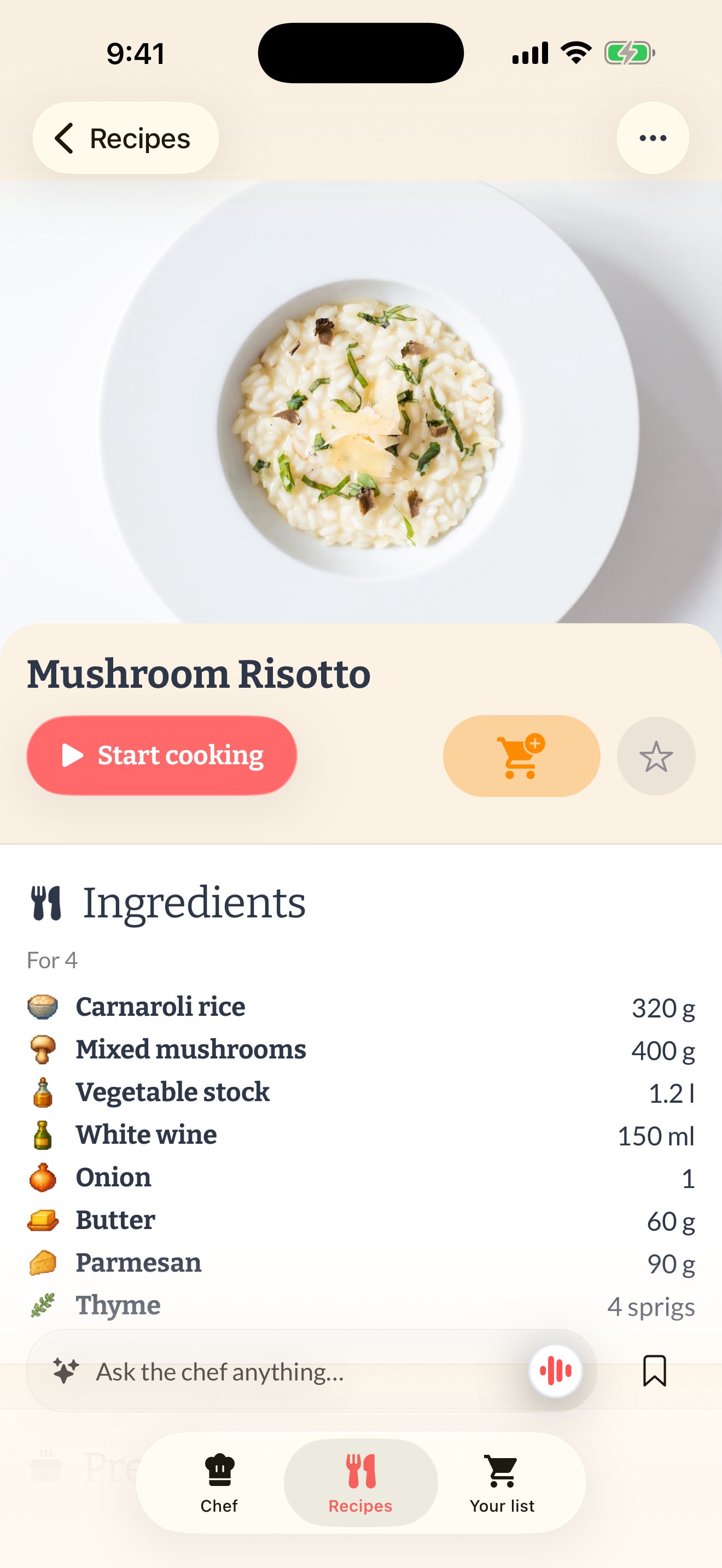
Semana recipe library on iPhone

Bring recipes in from anywhere

TikTok Instagram YouTube Any website Photos & screenshots PDFs Grandma’s notebook TikTok Instagram YouTube Any website Photos & screenshots PDFs Grandma’s notebook
The problem isn’t finding recipes.
It’s the last mile between the idea and dinner.
🕢

It’s 6:47pm and there’s no plan. You’re tired, the fridge is a riddle, and delivery is one tap away.

📌

You saved the recipe… somewhere. Instagram, TikTok, screenshots, notes — a collection you never cook from.

🛒

You bought the groceries and still ordered takeout. Ingredients for a better version of yourself, wilting in the drawer.

Everything between “that looks good” and “dinner’s ready”.

Semana isn’t another folder for food ideas. It’s the app for the part where you actually cook.

Save from anywhere

One home for every recipe you’ll ever love.

See a recipe worth cooking? Share it to Semana and it becomes clean, organized and cookable — no ads, no life story, no 40-second intro.

  • Import in seconds from TikTok, Instagram, YouTube and any website.
  • Snap photos of cookbooks, handwritten cards and screenshots.
  • Organized automatically with your own categories, ready to search.
A recipe imported into Semana from Instagram, with clean ingredients and steps
At a glance

See the whole recipe before you commit to it.

Every recipe gets a little map: what happens in parallel, what merges into what, and where the hands-off time hides. Read dinner in three seconds — before you’ve dirtied a single pan.

  • Spot the dead time — marinating, resting and oven time show up as dotted lines you can plan around.
  • Know your pots before you start — every pan, bowl and tray the recipe actually needs.
  • Made automatically for any recipe you save. No setup, no diagram homework.
Meet Chef

Don’t search for dinner. Tune it.

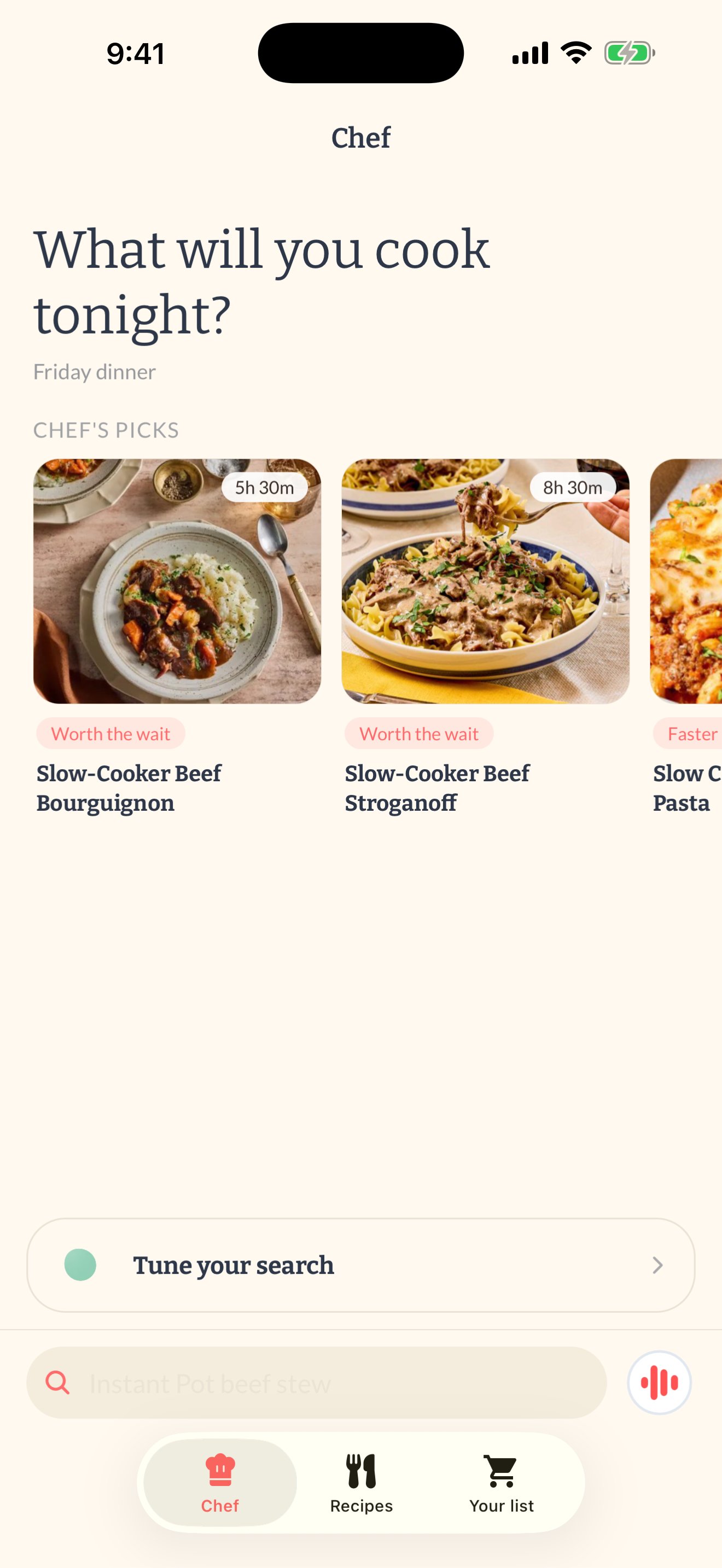
Chef’s home is a dial, not a search box. Turn appetite, time and adventure until the sentence sounds like tonight — “something cozy, in about 30 minutes, leaning chicken” — and she answers with real recipes from real sites.

  • Raid the pantry shelves: tap what’s in your fridge and Chef cooks around it.
  • “Surprise me” is a knob — turn it up when your rotation gets boring.
  • Grounded ideas pulled from real recipes, not hallucinated mush.
Chef, Semana's AI cooking assistant, with the dial composer building a search sentence
While you cook

Talk to your recipes. Yes, seriously.

Confused mid-cooking? Ask right there, hands covered in flour, and get an instant answer — no scrolling back through the steps.

  • “Should this chicken go on high or low heat?”
  • “Can I swap the cream for yogurt?”
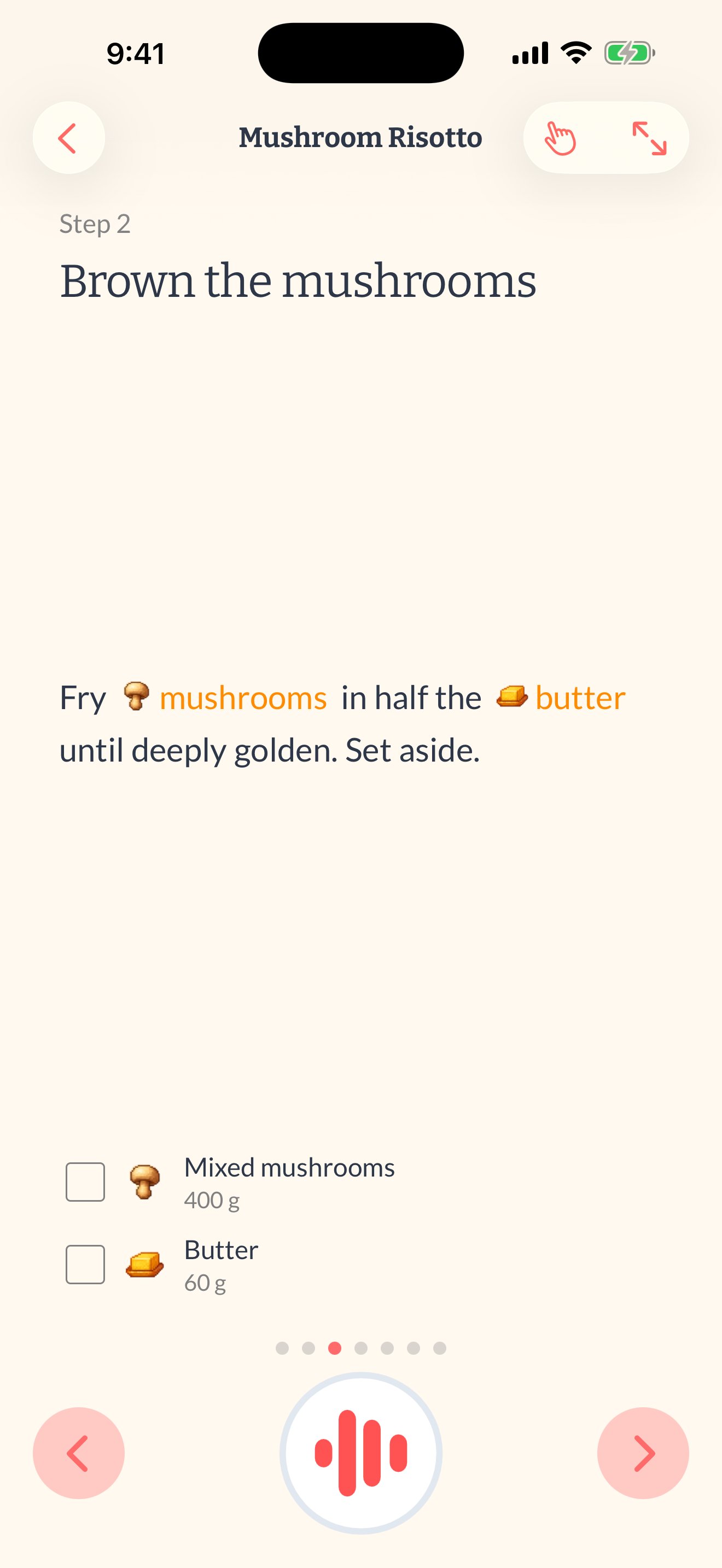
  • Step-by-step cooking mode keeps your place and your timers.
Semana cooking mode with step-by-step instructions
Shop once

A grocery list that writes itself.

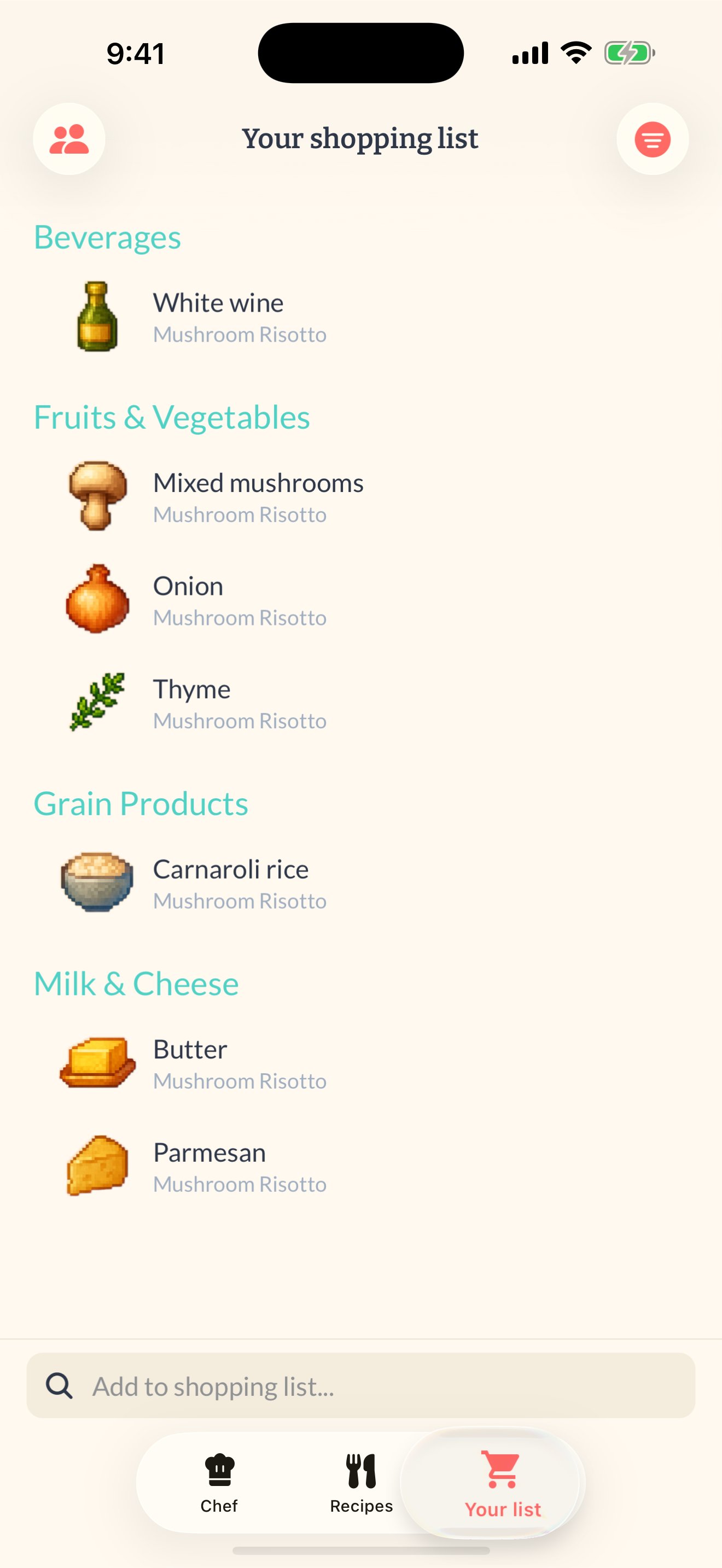
Pick your meals and the list is already done — every ingredient, combined and grouped by aisle so you walk the store exactly once. And it’s shared, so dinner stops living in one person’s head.

  • Built from your recipes automatically, in one tap.
  • Grouped by aisle — produce with produce, dairy with dairy.
  • Shared with your household — whoever’s at the store sees what’s needed.
Semana shopping list grouped by aisle

From “ooh, that looks good” to “dinner’s ready” in three moves.

1

Save it

Share any recipe to Semana — from a video, a website, a photo or a craving you describe to Chef. It lands clean and cookable.

2

Shop for it

Pick what you’ll cook and Semana merges every ingredient into one grocery list, grouped by aisle, shared with your household.

3

Cook it

Follow step-by-step cooking mode, ask Chef questions as you go, and watch your cooked-at-home streak grow.

New · Works with your AI

Your AI assistant can now cook with Semana.

Already chatting with ChatGPT, Claude or Meta Muse about dinner? Connect Semana once and your assistant can save recipes, write your grocery list and log what you cooked — no copy‑pasting, no switching apps. Everything lands in Semana, shared with your household.

ChatGPT Claude Meta Muse Any MCP‑compatible assistant
Save this recipe to Semana and add the ingredients to my list.

Paste a recipe, a link or just describe the dish. It's saved, formatted and on your shopping list before you've put your phone down.

What can I cook tonight with what I've saved? Something quick.

Your assistant searches your own recipes, picks one, and can plan it for the week so the groceries follow.

Add milk, eggs and two avocados to my Semana list.

Said from your laptop, your car, or mid‑conversation about something else. Your partner sees it in the app instantly.

Connect your assistant Paste the instructions into ChatGPT, Claude or Muse and it connects itself. Included with Semana Premium; you approve from the Semana app.

Questions, answered.

Does it work with ChatGPT, Claude or Meta Muse?

Yes. Semana is an MCP connector, the open standard AI assistants use to talk to apps. Add trysemana.com/mcp in your assistant's connectors, approve it from the Semana app on your phone, and your assistant can save recipes, manage your grocery list and read your cooking journal. It only ever sees your own household. Setup guide.

Is Semana free?
Yes — Semana is free to download and free to start cooking with. Semana Premium unlocks the full experience, and you can try everything before deciding.
How do I save a recipe from TikTok or Instagram?
Tap Share on any video or post, choose Semana, and the recipe is extracted into a clean, cookable format — ingredients, steps and servings included. It works with websites, photos, screenshots and PDFs too.
What is Chef?
Chef is Semana’s built-in cooking assistant. Tune the dials — appetite, time, adventure — or tell her what’s in your fridge, and get grounded recipe ideas from real sources. She can also adapt a recipe to your servings or diet and answer questions mid-cooking — like whether that chicken should go on high or low heat.
Can I share Semana with my family or partner?
Yes. Semana homes are shared: everyone sees the same recipes and the same shopping list, so dinner stops living in one person’s head. Invite them with a link and you’re set.
Does Semana build my grocery list?
Yes — pick your recipes and Semana turns them into a shopping list automatically, grouped by aisle so you walk the store once. Check things off as you go, and add your own staples too.
What languages does Semana support?
Semana is available in English, Spanish, French and German — and it can import recipes written in other languages.
Is Semana available on Android?
Yes. Semana is on Google Play for Android phones, and on the App Store for iPhone and iPad.

Cook more. Scroll less.

Your next great dinner is already saved somewhere. Put it in Semana and actually cook it this week.

Download Semana on the App Store Get Semana on Google Play